- What counts as an IQOS holder problem
- The two ILUMA layouts, and why the difference matters
- Step one: identify which part is failing
- IQOS holder problems with charging: no lights, slow charging, charge that will not hold
- Heat problems: no heat, and sessions that stop halfway
- LED faults: what the lights mean, and the reset that clears most of them
- Cleaning and care routine for the holder cap and the cooling section
- Repair or replace? What a replacement costs in Dubai
- UAE and Dubai specifics: delivery, age checks and where service happens
- Where to buy a replacement holder or device in Dubai
- Frequently asked questions
- Where to buy an IQOS ILUMA in Dubai
Delivery and Service · 2026 · 16 min read
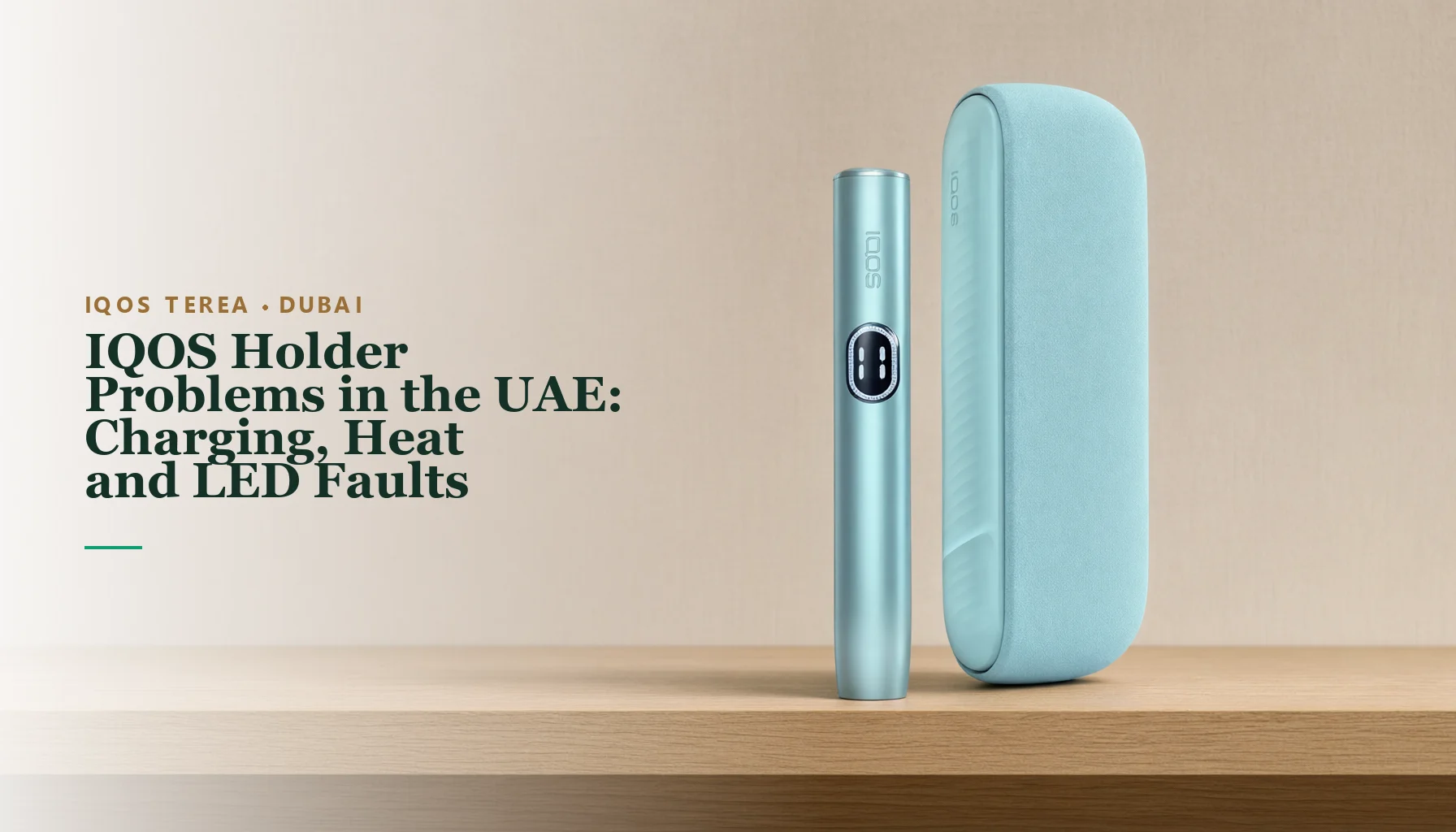
Most IQOS holder problems in the UAE come down to three faults — the device will not charge, it will not heat the TEREA stick, or the lights report an error — and the fixing order is almost always the same: identify which part is actually failing, rule out the cable and the charging contacts, clean the holder cap and cooling section, run the 10-second reset, and go to IQOS Customer Care only when a red light survives that reset. Almost nothing else needs a workshop. The holder, the pocket charger and the holder cap each fail in their own predictable way, and each has an official fix you can run at home in minutes.
This guide is written from the retail side. We stock IQOS ILUMA devices and TEREA sticks in Dubai with 60–120 minute delivery, and the same cluster of questions arrives every week: a charger that shows no lights, a holder flashing red, a session that dies halfway. Below is the full diagnostic path for both device layouts, a light-pattern table you can match against your device, the cleaning routine that prevents half of these faults, and current replacement prices in AED so you can decide between service and a new device.
What counts as an IQOS holder problem
The holder is the part that heats the TEREA stick. ILUMA devices carry no blade: the stick itself contains a sealed metal element, and the holder heats it by induction once the stick is inserted. That design detail matters for diagnostics, because a holder with no heat and a holder with no charge produce different symptoms, and a stick problem can imitate a device fault almost perfectly.
Strictly speaking, “holder problems” span three parts. The holder is the unit you draw from during a session. The pocket charger is the power bank it slots into, which stores the charge and tops the holder up between sessions. The holder cap is the piece covering the heating chamber, and it shapes the draw. Any one of the three can be the real fault while the other two take the blame.
One compatibility fact eliminates a whole category of false faults: TEREA sticks work only with IQOS ILUMA devices, and HEETS sticks do not work in an ILUMA at all. ILUMA is induction-only, so a stick made for the older blade devices cannot heat in it. If a “dead” holder has a HEETS stick inside, the device was never the problem.
The law frames every purchase this guide ends with: heated-tobacco devices and sticks are sold to adults aged 18 and over in the UAE, and ID is checked at handover. That is the only formality involved in a replacement order — the fault itself is yours to diagnose with the sections below.
The two ILUMA layouts, and why the difference matters
ILUMA devices come in two layouts, and every fix in this guide depends on which one you own. The two-part family — ILUMA, ILUMA PRIME, ILUMA i PRIME and ILUMA i Standard — pairs a holder with a pocket charger. The all-in-one family — ILUMA ONE and ILUMA i ONE — builds the holder and the battery into a single body with no pocket charger at all.
The layout changes three things. It decides where you watch the lights: on the holder and the charger, or on one body. It decides the reset, because a two-part device resets through the pocket charger’s button while a ONE resets through its own. And it decides what “no lights when plugged in” can even mean, since only a two-part kit carries a separate charger battery that can sit fully discharged.
Step one: identify which part is failing
Before touching any button, sort your symptoms into one of three buckets:
- Holder symptoms: the stick does not heat, vapour is weak, the session stops halfway, or the holder flashes red during or after a session.
- Pocket charger symptoms: no lights when the charger is plugged in, charging takes far longer than it used to, or the charge will not hold between uses.
- Holder cap symptoms: the draw feels tight or blocked, residue builds up around the chamber, or the draw stays poor even with a fresh, genuine stick.
Test one variable at a time. If you clean the cap, swap the cable and reset the device in the same evening and the fault clears, you will not know which fix worked, and you will not know what to do next time. The sections below run in a fixed order — charging first, heat second, lights third, cleaning last — so work down the page rather than skipping ahead.
IQOS holder problems with charging: no lights, slow charging, charge that will not hold
Charging faults are the most common entry point and the most misread. A pocket charger showing nothing when plugged in usually is not broken — it is flat, and a flat IQOS charger looks exactly like a dead one until you give it enough time on the cable.
One layout check first: the no-lights symptom below belongs to the two-part kits. The ONE family has no pocket charger, so its charging questions collapse into the same cable, contacts and time checks without a middle device in the chain.
No lights at all when plugged in
No lights at all while the pocket charger is connected to power means the charger battery is fully discharged. That is the official meaning of the symptom, not a guess. A fully discharged charger needs at least 20 minutes on the cable before it shows signs of life, so plug it in, leave it alone, and retry after that window.
The mistake to avoid is declaring the charger dead inside the first few minutes. Give it the full 20 minutes before you judge it. If the lights come back, you have lost nothing but waiting time, and no hardware was ever at fault.
Charging that feels slow
Judge speed only after the 20-minute floor, because a deeply discharged charger always looks slow at first. Then run the two official checks. First, use the original cable and adapter — the original-cable rule exists because generic cables and adapters charge IQOS devices unreliably. Second, clean the charging contacts, because dirt on the contacts interrupts the charge path and reads as slow or broken-off charging.
If a charger that used to fill quickly now crawls, work through those two checks in order before assuming battery wear. The cable is usually the variable that changed: it lives in pockets, bags and cars, and it is also the cheapest part to replace with an original.
The pocket charger will not hold its charge
A charger that fills and then empties quickly has the same first checks: original cable and adapter, then clean contacts. Rule both out before drawing conclusions, because an interrupted charge can look exactly like a battery that will not hold.
If both checks pass and the charger still will not hold its charge, that is a hardware problem rather than a settings problem, and the official route for hardware faults is IQOS Customer Care. Do not open the charger or attempt a DIY battery repair; that closes the service door on a device that may still be fixable.
Heat problems: no heat, and sessions that stop halfway
Heating is the holder’s own job, and heat faults split into two patterns: the stick never heats at all, or the session starts and then stops partway through. Work them in that order, because the no-heat checklist also resolves most half-sessions.
The holder will not heat the stick
Run the official checklist in this exact order:
- Confirm the stick is a genuine, undamaged TEREA stick. HEETS do not work in ILUMA — it is induction-only — so a HEETS stick will never heat.
- Push the stick fully in, with the TEREA logo facing up.
- Check the battery is charged.
- Clean the holder cap and the cooling section.
- Run the 10-second hard reset, with the procedure given below.
- Replace the holder cap if the draw is still poor.
- Contact IQOS Customer Care — at this point the heating unit itself may be faulty.
Steps one and two catch more “dead” holders than any hardware fault does. A reused, damaged or counterfeit stick, or a stick sitting half-inserted or logo-down, produces exactly the no-heat symptom you are chasing, and the fix costs nothing. If the symptom is weak vapour rather than zero heat, the same checklist in its full form lives in our ILUMA weak vapour guide.
Notice what the checklist never includes: opening the device or attacking the chamber. A TEREA stick contains a sharp metal part in the induction element area, so nothing sharp, pointed or pressurised ever goes into the holder — that rule is covered fully in the cleaning section below.
The session stops halfway
Start with the charge state, which is step three of the checklist: a holder that was not topped up fully is the first suspect when sessions end early. Put the holder back onto the pocket charger, let it take a full charge, and only then run another test.
If the holder flashes red as the session cuts out, that is the fault signal described in the next section, and the reset is the response. Halfway stoppages and flashing red often travel together: treat them as one incident, reset once, charge fully, then test again with a fresh TEREA stick before deciding anything further.
If sessions keep stopping halfway on a fully charged holder after a clean reset, stop troubleshooting and contact IQOS Customer Care. Repeated cut-outs at that point are a device question, not a habit question.
LED faults: what the lights mean, and the reset that clears most of them
The lights are the device’s only language, and ILUMA speaks a short vocabulary. Four patterns cover nearly every question we hear at the counter, and a single reset clears the first two:
| Light pattern | What it means | What to do |
|---|---|---|
| Holder flashing red | Device fault or error | Do the reset — two-part procedure below |
| ILUMA ONE bottom light blinking red | Minor error | Do the reset — ONE procedure below |
| No lights at all when plugged in | Pocket charger battery fully discharged | Charge for at least 20 minutes, then retry |
| Red persists after a reset | Likely hardware fault | IQOS Customer Care, not another reset |
Read the table from the top and act on the first row that matches your device. Two of the four patterns clear at home in about a minute. The third asks for patience rather than buttons. The fourth is a service call, and the official guidance is to make it rather than reset again.
Resetting a two-part ILUMA: ILUMA, ILUMA PRIME, ILUMA i PRIME, ILUMA i Standard
Place the holder inside the pocket charger, then press and hold the pocket charger’s button for about 10 seconds, until the lights fade out or all the lights flash. Keep the holder inside while it reboots.
The order matters. The holder must be inside the charger when you hold the button, and it must stay inside until the reboot finishes, so a reset performed with the holder sitting on the desk resets nothing. Count the seconds properly — about 10 — and wait for the lights to fade or flash before you let go.
Resetting an ILUMA ONE or ILUMA i ONE
Press and hold the device’s own button for 10 seconds, then release. The reset is confirmed when all status lights turn off and then come back on.
There is no pocket charger step because there is no pocket charger. The off-then-on light cycle is your confirmation, so if you never saw the lights drop out and return, the reset did not register and it is worth running again.
When red means Customer Care, not another reset
If red persists after a reset, the fault is likely hardware. The official guidance at that point is IQOS Customer Care or an authorised service route — not a second reset, and not a longer one. Repeating a reset cannot repair hardware, and the sooner the device goes in for service, the sooner you are back to full sessions.
For the complete fault-and-reset walkthrough in more depth, see our IQOS ILUMA reset and faults guide.
Cleaning and care routine for the holder cap and the cooling section
A large share of heat and draw complaints trace back to the same two components: the holder cap and the cooling section. Residue builds there across sessions, a loaded cap tightens the draw, and a tight draw feels exactly like weak vapour or poor heating. That is why cleaning both sits at step four of the no-heat checklist.
The safe routine is short. Let the device cool. Clean the holder cap and the cooling section. Gently shake or tap out any loose debris. That is the whole routine, and it needs no tools, no liquids pushed into the chamber and no disassembly.
What you must never do matters more than what you do. IQOS officially warns against disassembling or digging into a TEREA stick, because the stick contains a sharp metal part in the induction element area that can cause serious injury. Never insert pins, screws or knives into the chamber, and never blast it with compressed air. If a stick is firmly jammed, stop and contact IQOS Customer Care — our guide to removing a broken TEREA stick safely covers that situation in full.
Prevention is four habits: insert every stick with the TEREA logo facing up, never re-use a stick, never force a used stick out, and keep the cap and cooling section clean. Run those habits and most of the faults in this article never develop. If the draw is still poor after a proper cleaning, replace the holder cap — it is the wear part of this system, and cap replacement is step six of the checklist for exactly that reason.
Repair or replace? What a replacement costs in Dubai
When red survives a reset, the device is headed for service, and the practical question becomes what a working device costs in the meantime. Current Dubai stock prices keep that comparison simple. The ILUMA i One is AED 140, the ILUMA i Standard is AED 265 and the ILUMA i PRIME is AED 340. Limited editions sit above that line: the ILUMA Stardrift LE at AED 300, the ILUMA Prime Stardrift LE at AED 370, the ILUMA i Standard Remix LE at AED 500 and the ILUMA i Prime Remix LE at AED 950.
There is also a third-party route. The Lambda i8, a heater built for TEREA sticks, is AED 200. It runs the same sticks as your ILUMA, so a failed holder does not strand your TEREA supply — the device changes, the sticks do not.
Two practical notes before you buy. Every i-series device uses the same TEREA sticks you already buy, so a replacement never disrupts your routine. And if you carry a PRIME-class device, the i One at AED 140 is the cheapest possible backup to keep in the drawer while your main device is away for service.
UAE and Dubai specifics: delivery, age checks and where service happens
Hardware faults go to IQOS Customer Care; everything else — replacement devices, fresh sticks, an original cable — we deliver. In Dubai that means 60–120 minutes to your door. The other Emirates are same-day for orders placed before 1 PM and next-day for orders placed after. Delivery is free over AED 499, payment can be cash on delivery, and every handover is 18+ with ID checked in person.
Prices quoted here are the store’s own Dubai stock at the time of writing, and limited editions move, so check the live listings before ordering. The service windows do not move: 60–120 minutes across Dubai, before-1-PM same-day in the other Emirates, ID at the door every time.
One local note ties back to the original-cable rule: cables lead short lives in bags and cars, so keep the original set with the device and replace like with like. Everything else in this guide — the 20-minute rule, the reset, the cleaning routine — works identically whether you are in Dubai Marina or Fujairah; only the delivery window changes. Full timings and the order process sit on our delivery page.
Where to buy a replacement holder or device in Dubai
If the fault is confirmed as hardware, the next step is a replacement you can hold today rather than a repair ticket with no date. Our IQOS ILUMA range in Dubai lists the current devices at the prices above, from the i One upward, alongside the TEREA sticks each of them runs.
A replacement is also the moment to re-stock consumables in the same order. Every ILUMA device runs the same TEREA sticks — 20 per pack, 10 packs per carton — so add your regular cartons to the basket and the new device arrives with a supply that matches it.
Frequently asked questions
Why is my IQOS holder flashing red?
A flashing red holder is the device reporting a fault or error. Run the reset for your layout; if red persists after the reset, contact IQOS Customer Care, because the fault is likely hardware.
How do I reset my ILUMA holder?
On a two-part device, place the holder inside the pocket charger and hold the charger’s button for about 10 seconds until the lights fade out or flash, keeping the holder inside while it reboots. On an ILUMA ONE or i ONE, hold the device’s own button for 10 seconds and release.
Why are there no lights when I plug in my pocket charger?
No lights while plugged in means the charger battery is fully discharged. Leave it on the cable for at least 20 minutes, then retry.
Can I use HEETS in an ILUMA holder?
The HEETS-branded sealed sticks sold here are induction sticks, and they fit every ILUMA holder, including the i One, the i Standard and the i PRIME. What does not fit is the older blade-era HEETS format built for the IQOS 3 DUO and 2.4 Plus, where a heating blade pierces the tobacco. That format is a different product and this store does not carry it, so the rule is simple: ILUMA takes the sealed HEETS-branded sticks from this site, never a blade-era pack.
Should I repair my ILUMA or replace it?
Hardware faults belong with IQOS Customer Care first, and replacement is the fallback: AED 140 for the i One, AED 265 for the i Standard, AED 340 for the i PRIME, or AED 200 for the third-party Lambda i8.
How fast can a replacement device reach me in the UAE?
Within Dubai, 60–120 minutes; in the other Emirates, same-day for orders before 1 PM and next-day after that. You will need to show ID at handover.
Where to buy an IQOS ILUMA in Dubai
The IQOS ILUMA collection lists every model and finish with its AED price, and the reset and faults guide covers the procedures this article summarises. If the hardware is beyond reset, replacement is usually the cheaper route.
Buy in Dubai: ILUMA i Standard Midnight Black – Buy Online Dubai UAE at AED 265, ILUMA i One Blue – Buy Online in Dubai & Ajman at AED 140, A Calm Light Blue Finish for the ILUMA i Standard in the UAE at AED 265. Order before 1 PM for same-day delivery across the Emirates — AED 30 delivery, free over AED 499 — with cash on delivery and card on delivery available. Every handover is 18+ verified.
Nicotine is addictive. For adults 18+ only. Nothing here is medical advice — see our disclaimer.